Replace the whiteboard.
Keep the clarity.
CrewSnap is resource scheduling built by construction, for construction: forecast crews project by project, dispatch tomorrow's assignments automatically, and schedule equipment alongside your people.
Features
01 · Features- Workforce forecasting by project & trade
- Customizable dashboards
- Drag-and-drop whiteboard
- Automatic crew notifications
- Equipment scheduling
- Apprentice ratio compliance
- Multi-office support
- Reports to PDF or Excel
How CrewSnap is different
We saw a need for a forecasting and scheduling tool that wasn't part of a larger expensive ERP or system, or bundled into a construction management system only used by GCs. Scheduling and workforce forecasting is a time-consuming process faced by contractors of all sizes.
Our goal in creating CrewSnap was to build a system that you can trial without talking to a sales rep, and use without paying for implementation. There is no per-user tier and no revenue-based pricing, just one flat annual plan, with an enterprise option for larger operations.
Spreadsheets
Spreadsheets are great for 2-dimensional data. Crew scheduling is a 3-dimensional task (projects, people, and dates) and no grid holds all three at once.
Calls & text messages
CrewSnap texts or emails each employee their next-day assignment automatically: job, address, and site contact. No more morning phone calls.
Equipment tracking
Schedule equipment beside your people: one timeline, one plan, no separate spreadsheet.
Everyone knows where to go
Each employee is texted or emailed their next-day job, address, and site contact automatically, every day, off the schedule you already built. How crew notifications work →
Drag, drop, done.
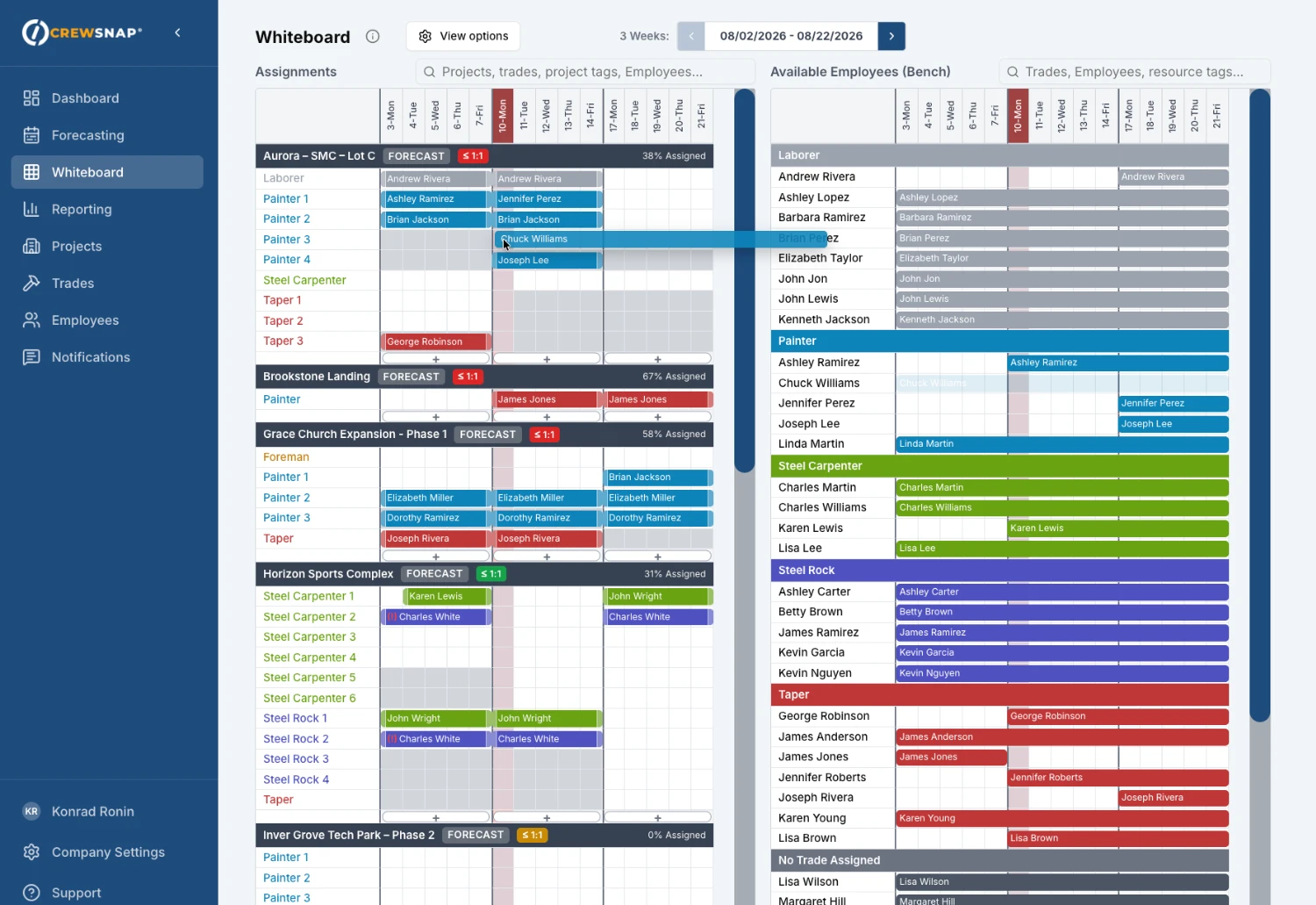
The whiteboard shows every project and your available bench on one visual timeline. Drag employees onto jobs and move them between projects in seconds.
Still running the real one on a wall? There is an honest guide to what happens to the whiteboard, including what a magnet board is still better at.
Stay in ratio while the schedule is still a draft
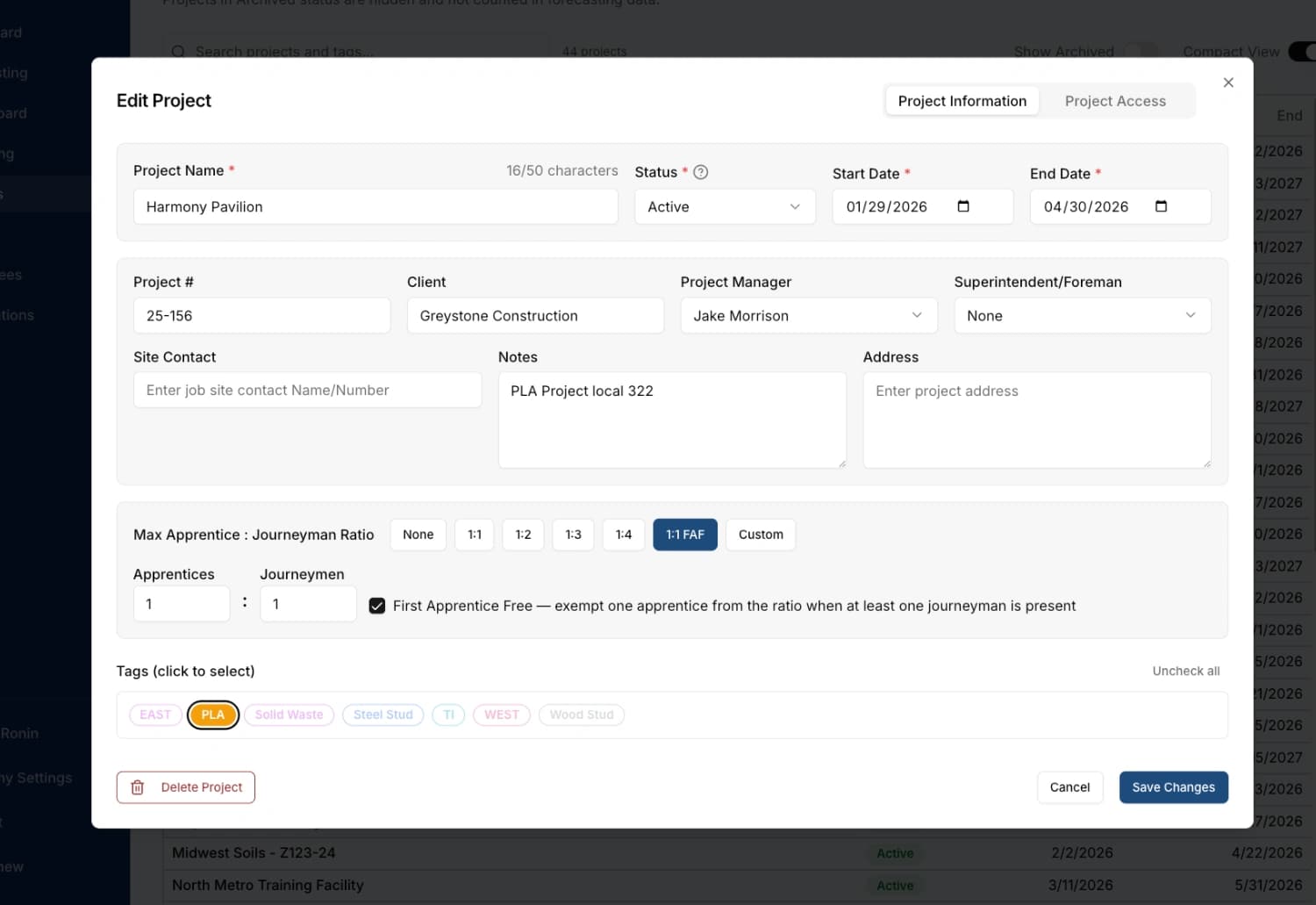
Set each project's apprentice-to-journeyworker ratio and CrewSnap tracks it as you assign crews. You see the number while you can still move somebody, rather than after the week is worked.
Most tools in this space find a ratio problem in certified payroll, which is after the hours are already owed. CrewSnap is a scheduling tool, not a payroll system, and that is exactly why it can tell you earlier.
"I sent the login info to my project managers on a Monday morning. By lunch, they were already forecasting projects. Nobody called with questions, nobody needed training. They just opened it up and started using it."
Ready to ditch the whiteboard?
Start a 30-day trial. No card, no calls, no setup fee.