Crew scheduling built for construction
CrewSnap forecasts crews project by project, dispatches tomorrow's assignments by text or email, and schedules equipment on the same board as the people who use it. One board, every project, every trade, every crew. It starts with workforce forecasting, where a crew requirement is recorded before anyone is assigned to it.
Drag, drop, done.
Every project and your available bench, on one visual timeline. Drag employees onto jobs and move them between projects in seconds, and conflicts surface before they happen.
Replace the scheduling whiteboard →
- Daily planning granularity
- Assignment conflict detection
- Drag and drop between "bench" and projects

Tell the crew where to go, automatically.
CrewSnap texts or emails each employee their next-day assignment: job name, address, and site contact. No more morning phone calls.
More on automatic crew notifications →
What those morning calls cost you →
- Email or SMS (text message) delivery for tomorrow's assignment.
- Managers can add a note or hold a message anytime
- Runs automatically, every day

Stay in ratio, automatically.
For prevailing-wage, PLA, and union work: set each project's maximum apprentice-to-journeyman ratio, and monitor compliance as crews are assigned.
- Live ratio compliance monitoring
- Supports "first apprentice free" rules
- Generate compliance reports on demand or add to your dashboard
Apprentice ratio tracking in detail, or read what the rule says when the ratio is exceeded →

Equipment is a resource, too.
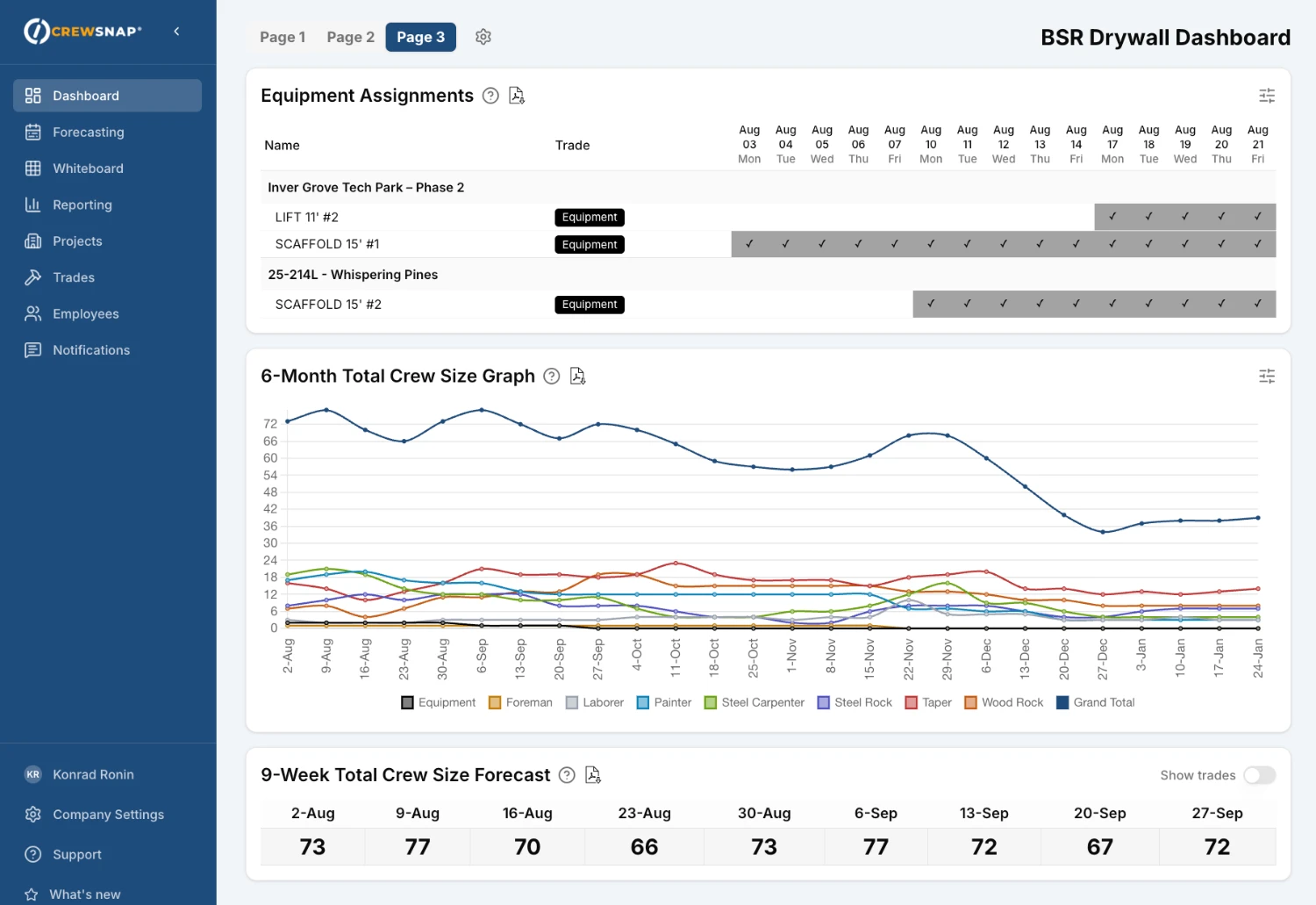
Forecast equipment requirements by day, week, or project, and assign it right alongside your crews: one board, one timeline.
- Forecast by day, week, or project
- Import/export with Excel
- Availability tracked automatically
Full Feature List
CrewSnap offers an extensive and constantly expanding suite of workforce management features designed to streamline construction scheduling and crew coordination.
Workforce Forecasting
- Interactive grid-based forecasting by project and trade
- Daily or weekly planning granularity
- Real-time crew requirements entry
- Assign specific resources to project positions
Dashboards
- Customizable 3-page dashboard
- Crew size forecast graphs
- Active and pending project lists
- Assignments board (daily/weekly view)
- Understaffed projects alerts
- Overallocated resources warnings
- Unassigned/available resource visibility
- More added frequently
Multiple Offices/Locations
- Use CrewSnap's tagging system to organize projects, employees, and equipment by location or office
- Create custom dashboards and reports based on office or location
Project Management
- Full project lifecycle (Pending → Active → Archived)
- Job details: number, address, client, contacts
- Assign superintendent, foreman, project manager
- Define required trades per project
- Project-level access control for team members
Employee & Crew Management
- Assign availability dates and default trade to employees
- Import/export employees with Excel files
- Track other information like employee ID, notes
- Track certifications using tags, with optional expiration dates and numbers
- Organize resources into crews
- Track active and inactive resources
- Assignment conflict detection
- Note rehire eligibility and comments on deactivated employees
- Track PTO/vacation availability with a dedicated PTO project
Equipment Tracking
- Equipment tracked as a type of resource, similar to employees
- Forecast equipment requirements by day, week, or project
- Import/export with Excel files
Trades
- Color-coded tags for projects, resources, and trades
- Filter reports and dashboards by tags
- Up to 50 custom tags per company
Text Notifications
- Automatic daily notifications by text or email telling employees where they'll be tomorrow
- Add a custom message to all notifications
Apprentice Ratio Tracking
- For prevailing-wage, PLA, and union work
- Set each project's maximum apprentice-to-journeyman ratio
- Monitor ratio compliance as crews are assigned
- Generate and print compliance reports on demand
- Supports "first apprentice free" rules
Reporting
- Create, save, and name your own reports
- Export to PDF and Excel
- Share reports with other team members
Team & Permissions
- Role-based access: Owner, Admin, Manager, User
- Invite team members
- Project-level access restrictions for users
Settings & Customization
- Customize terminology (Resource, Employee, Crew Member, etc.)
- Configure daily lookahead window
- Weekly or daily default view
Who this is for, and who it is not
- Contractors, subcontractors, and trade partners scheduling crews across several active projects at once
- Anyone still running the schedule on a whiteboard, a spreadsheet, or a round of morning phone calls
- Shops doing prevailing-wage, PLA, or union work who have to hold an apprentice-to-journeyman ratio
- Teams who want to try software without a sales call or an implementation project
- Very small shops with one crew and one job at a time, where a shared calendar is genuinely enough
- Teams who need certified payroll filing. CrewSnap tracks ratio compliance as you schedule, but it is not a payroll system
- Anyone looking for a full construction ERP with estimating, accounting, and document control
Common questions
Do I need to talk to a sales rep to try CrewSnap?
No. The 30-day trial starts by creating an account. There is no sales call, no setup fee, and no credit card required to start.
Is CrewSnap priced per user?
No. CrewSnap is one flat annual plan rather than a per-seat licence, so adding a foreman or a project manager does not change the price. An enterprise tier is available for larger operations.
How do crews find out where they are working?
CrewSnap sends each employee their next-day assignment automatically by text or email, including the job name, the address, and the site contact. It runs every day without anyone pressing send.
Can CrewSnap schedule equipment as well as people?
Yes. Equipment is treated as a type of resource alongside employees, so it is forecast and assigned on the same board and the same timeline rather than in a separate spreadsheet.
Does CrewSnap handle apprentice-to-journeyman ratios?
Yes. You set each project's maximum apprentice-to-journeyman ratio and CrewSnap monitors compliance as crews are assigned, with support for first-apprentice-free rules and printable compliance reports. CrewSnap is a scheduling tool, not a certified payroll system, and it does not file payroll reports for you.
Can I get our existing employee list into CrewSnap?
Yes. Employees and equipment can be imported and exported with Excel files.
More on the pricing model: why there is no per-user tier. Weighing this against something else? We publish a comparison with Bridgit Bench. Anything else? Ask us directly.
See it on your own projects.
Start a 30-day trial. No card, no calls, no setup fee.